Most real APIs need a credential. ObserveOne keeps credentials out of the request itself: you store them once in a per-check secrets vault, reference them with {{KEY}}, and pick an auth type that assembles the right header server-side. The values never appear in the saved check, in send-now output, or in an export.
The secrets vault#
Each saved check has its own vault on the Secrets tab. It is write-only: you add keys and values, but the dashboard only ever reads back the key names, never the stored values.
- Save the check first. The vault is keyed to the saved check, so the Secrets tab prompts you to save before you can add anything.
- Add a secret as a key/value row, for example
TOKENwith the token string as its value. - Reference it anywhere in the request as
{{TOKEN}}, in the URL, a header, or the body.
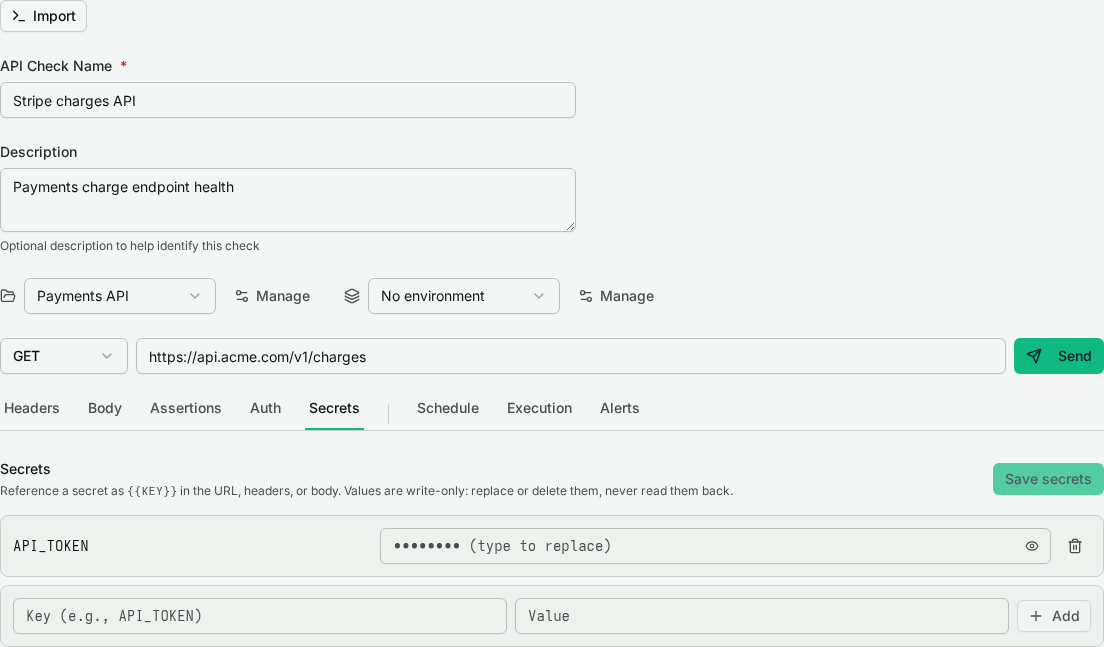
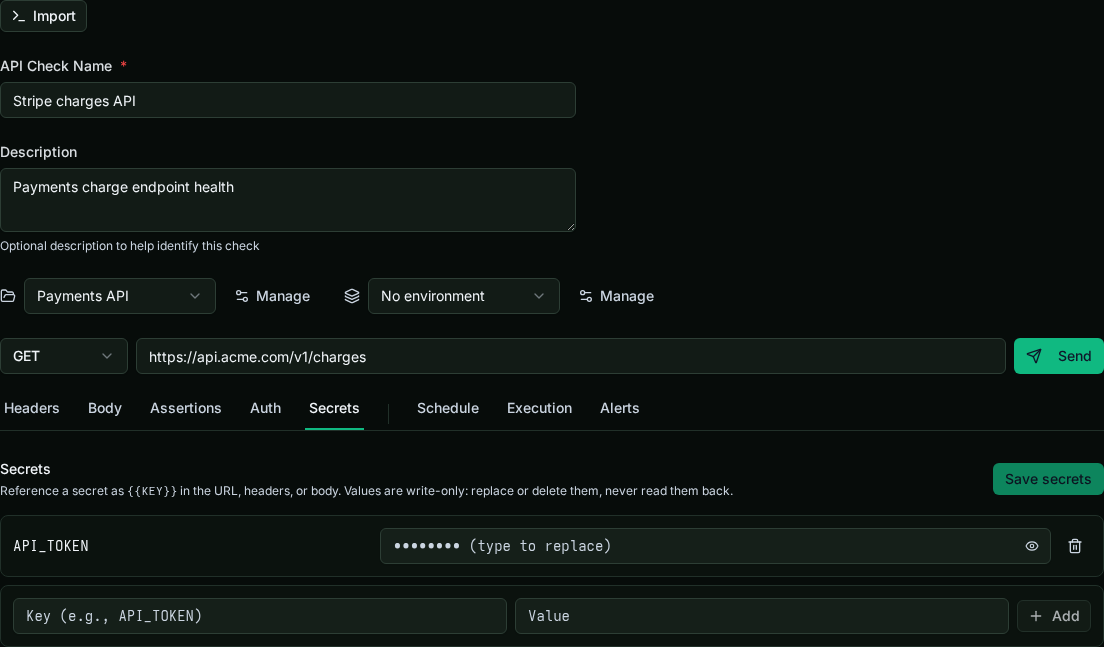
At send time and on every scheduled run, ObserveOne resolves {{KEY}} references server-side and strips the raw values before the request leaves the platform. Workers never receive the secret values.
To update a secret, write a new value for the key. To delete one, save it with an empty value.
The Auth tab#
Rather than hand-building an Authorization header, open the Auth tab and pick a type. Each type takes vault references (not raw values) and serializes the correct header for you:
- None: no auth header is added.
- Bearer token: takes a token reference, sends
Authorization: Bearer <token>. - Basic auth: takes a username and password reference, sends the encoded
Authorization: Basicheader. - API key: takes a header name and a key reference, sends the key under the header you name.
- OAuth2 (client credentials): see below.
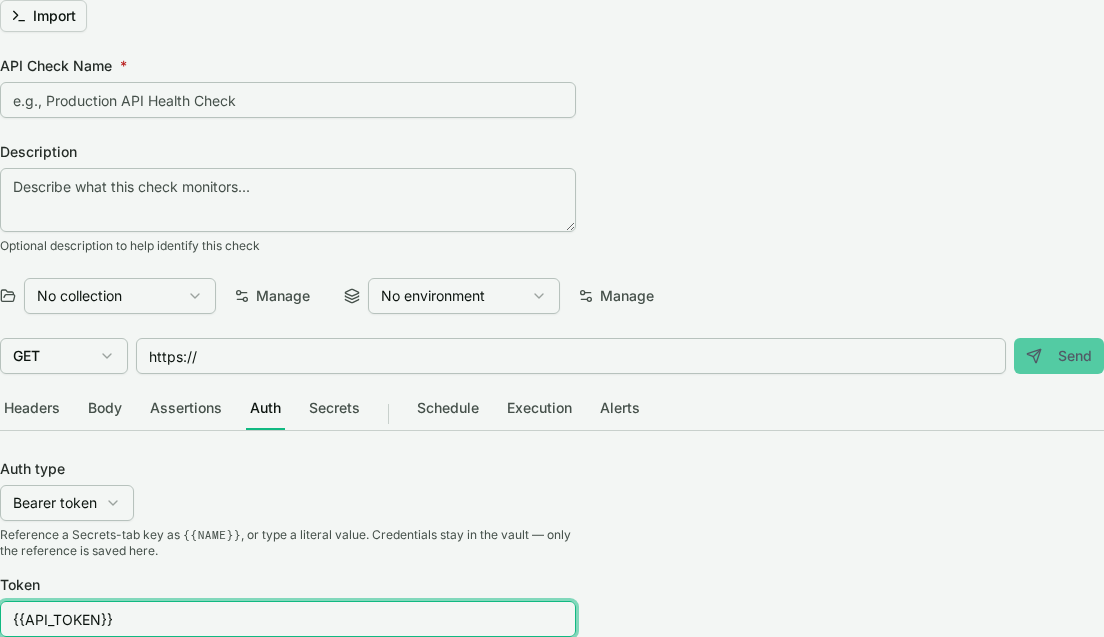
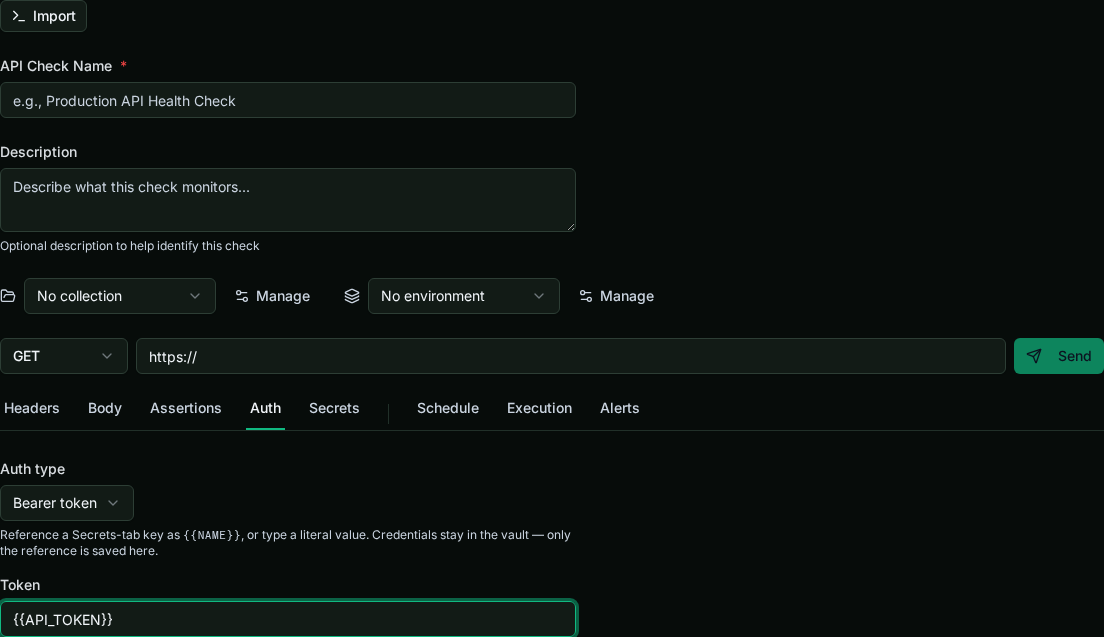
The auth config stores only references and header names, never values. An explicit Authorization header on the Headers tab takes precedence; the Auth tab only fills the gap.
OAuth2 client credentials#
The OAuth2 (client credentials) type is for machine-to-machine APIs that hand out short-lived access tokens. A static Bearer token expires (often within the hour), which makes it useless for an unattended, scheduled check. With client credentials, ObserveOne mints and refreshes the token for you.
Provide:
- Token URL: the
https://token endpoint. - Client ID and Client secret: as vault references.
- Scopes (optional) and Audience (optional).
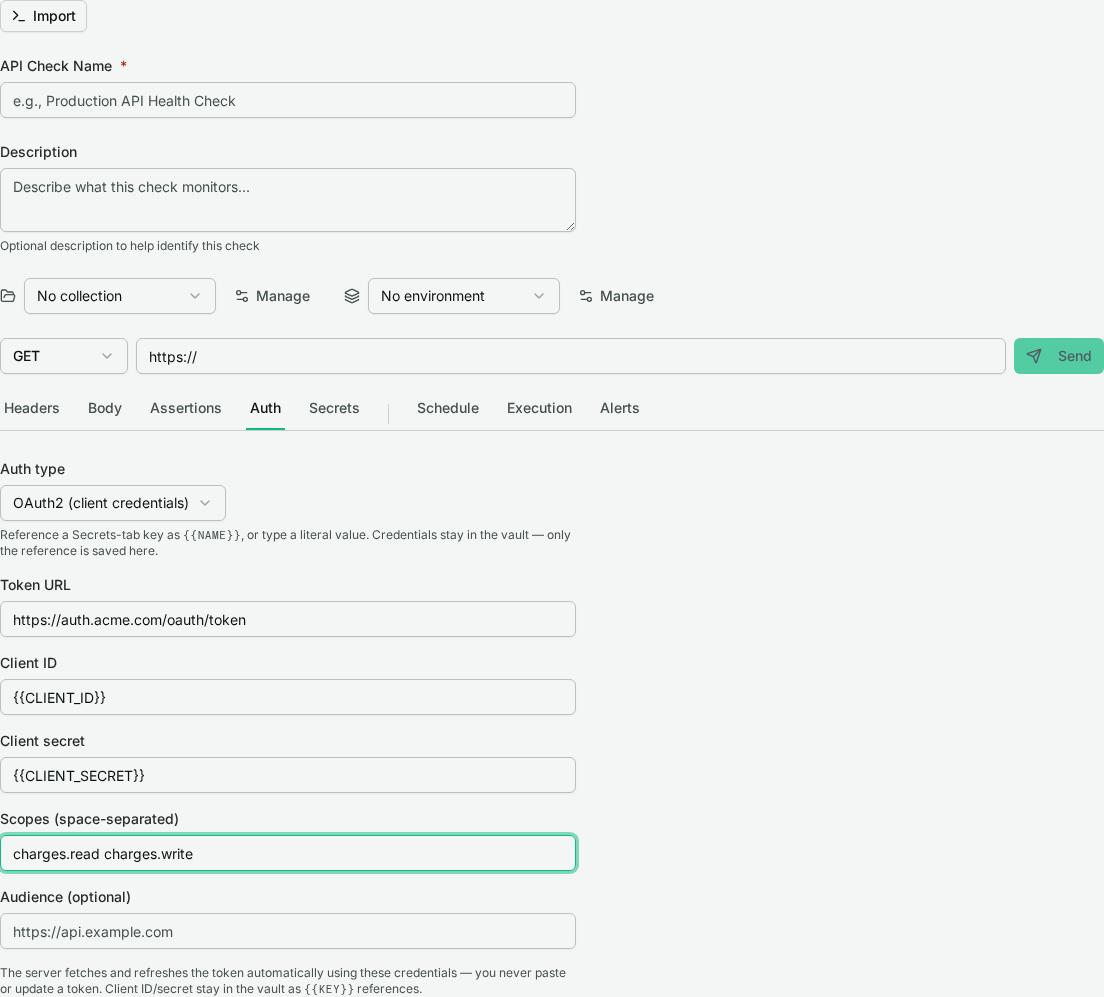
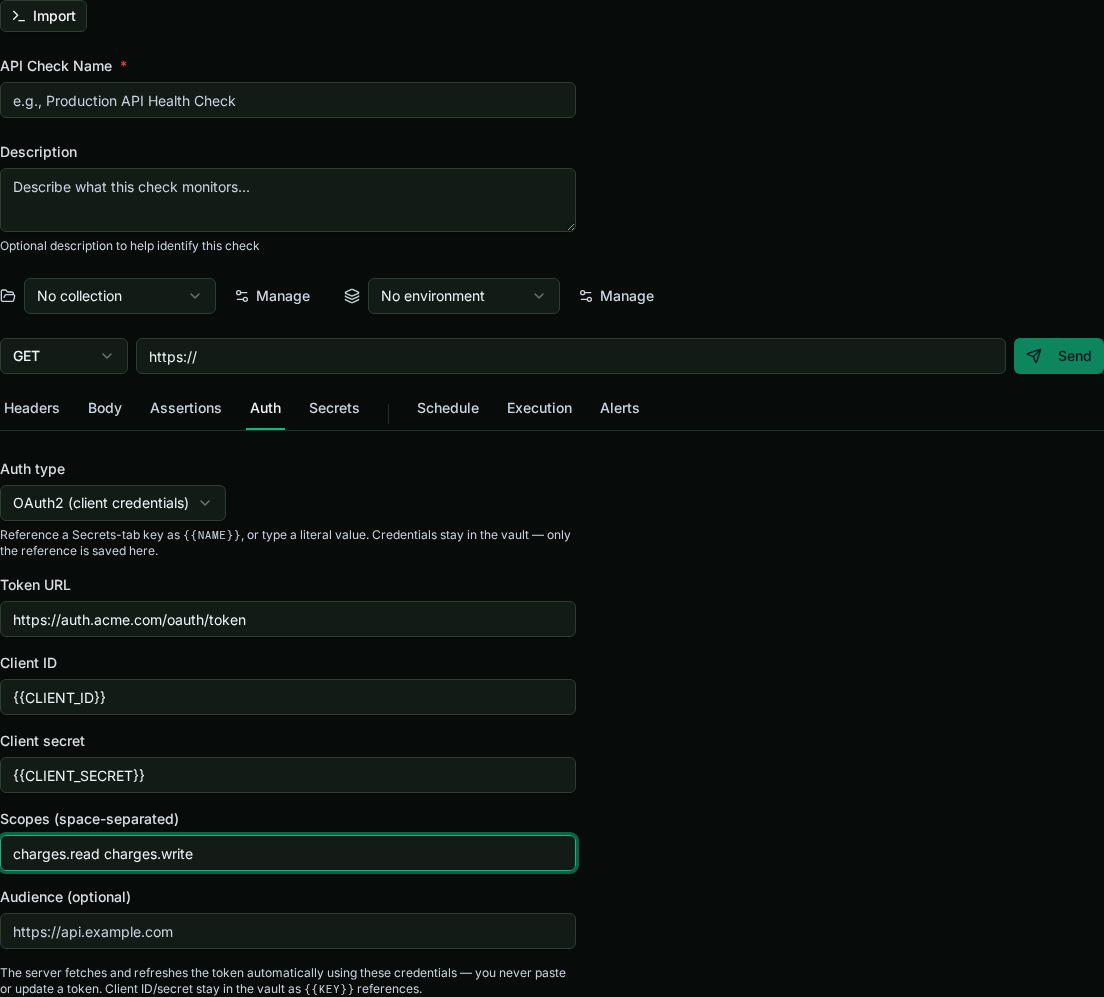
On each run the server fetches a token, caches it for its lifetime, and refreshes it when it expires. You never touch a token by hand, which is what makes a scheduled check against an OAuth2-protected API viable.
The token endpoint is fetched from ObserveOne's servers, so it must be a public https:// URL and is validated against the same protections as every other outbound request.
Next steps#
- Collections & environments: share variable sets and a base URL across checks.
- Scheduling, alerts & import/export: put the authenticated check on a schedule.